How to Really Fish Controls
Official PC binds plus mobile buttons and common input traps.
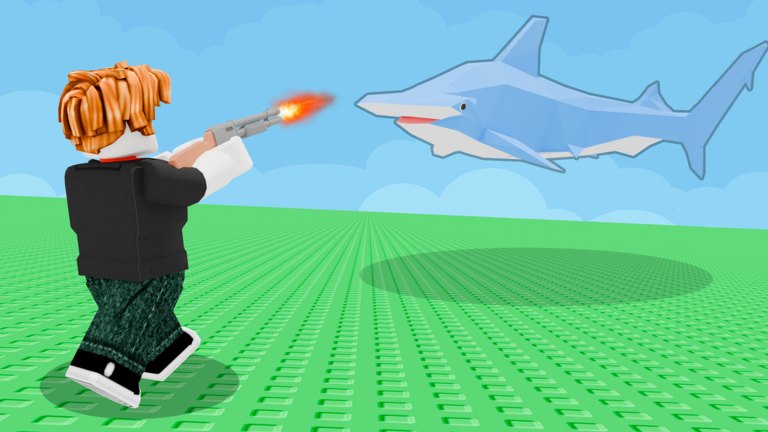
Crazy Fishing Friends prints the PC map on the Roblox description: Left Click, Right Click, Q, E, Shift. Mobile is on-screen buttons. This page expands those five words into a usable layout so you stop casting into a red house. Read it once, then return to Getting Started or how to catch.
PC keyboard and mouse
| Action | Bind | Notes |
|---|---|---|
| Cast / primary fire | Left Click | Hold to charge a cast if the beta shows a power feel; tap to shoot hip-fire |
| Alt fire / aim | Right Click | Sniper users hold this before the Giant Whale headshot |
| Interact / swap | Q or E | Shops, cooking, sell prompts, and some tool swaps |
| Sprint / extra move | Shift | Use it to reach a vendor before a seagull or shark knocks the catch |
| Look | Mouse | Same axis for fishing camera and gun aim |
| Jump | Space (Roblox default) | Needed when a whale launch throws you onto a roof |
Left Click does double duty. If a rod is equipped, it is a fishing input. If a gun is equipped, it is a trigger. Swap with the number keys or the Q/E cycle before you panic that “the rod is shooting.” The dock screenshot of a sniper on a whale is a gun session, not a cast session.
Mobile
The official description does not list individual mobile glyphs because they sit on the Roblox touch UI and move between weekly updates. Expect:
- A joystick on the left
- A jump button
- A primary action button that mirrors Left Click
- A secondary button that mirrors Right Click
- Extra prompts for sell, cook, and shop when you face an NPC
Thumb the action button only when the bobber is over water. Accidental taps on a green grid island will plant the lure in the floor. Rotate to landscape so the Codes and shop cluster does not cover the reel prompt — that also helps when you redeem codes.
Gamepad
Roblox on console uses a virtual cursor unless the experience implements native gamepad. In this beta, assume cursor mode:
- Aim the cursor at the water, hold the face button that maps to Left Click.
- Use the right stick to look, the same way you track a shark after it leaves the water.
- Open shops with the interact prompt, not with a custom radial that does not exist yet.
If both a keyboard and a pad are plugged in, Roblox may steal focus. Unplug the extra device, then rejoin. This is the same class of bug as leftover controller profiles on other fishing games, and it shows up as “my Left Click does nothing.”
Combat versus fishing inputs
You will often hold a rod and a gun in the same minute. A hooked shark that is still alive is a fight, not a fishing minigame. Holster the rod, fire, then pick up the body. The how to fight page covers hip-fire, sniper holds, and why Dual Uzis exist as a forever pass.
Do not bind macros that spam Left Click. That is how people clip the reel window and also how scripts get your account banned. Human-paced clicks are enough for early fish.
Camera and performance
Fifty-player servers are loud. If the camera stutters while you track a Giant Whale, drop graphics in the Roblox menu, not in a random FPS unlocker. Shift-sprint into a wall is a ping issue, not a missing keybind. Rejoin before you remap everything.
Shift is not “walk toggle” in the studio’s short list, but players use it as a burst to the cook station. Treat it as the button that saves a carried fish from being knocked into the sea.
Common “controls are broken” checks
- Are you in the menu or the Codes field? Left Click will type, not cast. Close it using the steps on how to redeem.
- Is a live fish occupying the dock? Your click may be punching, not casting.
- Are you on a green grid screenshot island with no water in the camera? Walk until you see ocean.
- Did a weekly patch remap Q/E? Check the beta notes.
- Are you mixing this game with Steam How to Fish keybinds (Tab encyclopedia, etc.)? Those keys are not documented here.
Once the binds feel boring, you are ready for how to catch and the lure tier list. Controls do not catch a Myth Confirmed fish; they only stop you from fighting the HUD instead of the shark.
Frequently Asked Questions
Quick answers for How to Really Fish on Roblox.
What are the official PC controls?
Left Click, Right Click, Q, E, and Shift, as printed on the Roblox description. Mouse look is implied.
Why does Left Click shoot instead of cast?
A gun is equipped. Swap back to the rod, then read how to catch.
Is there a controller-native scheme?
The beta still behaves like Roblox cursor mode. Use the virtual cursor on console.
Do mobile players have Shift?
You get an on-screen sprint or extra button instead. The studio grouped all touch inputs as on-screen buttons.